Review the proposed edit.
Changes proposed through Linelark’s editor tools appear as a diff. See what would change before you approve it.

Linelark Studio for Claude Code
Work with Claude beside your code. Ask about the text in your open tabs—even before you save. Review proposed editor changes, apply them, and undo them when you need to.
Studio is free. macOS 14+. Claude Code requires a separate installation and account or service access. Usage charges or plan limits apply.
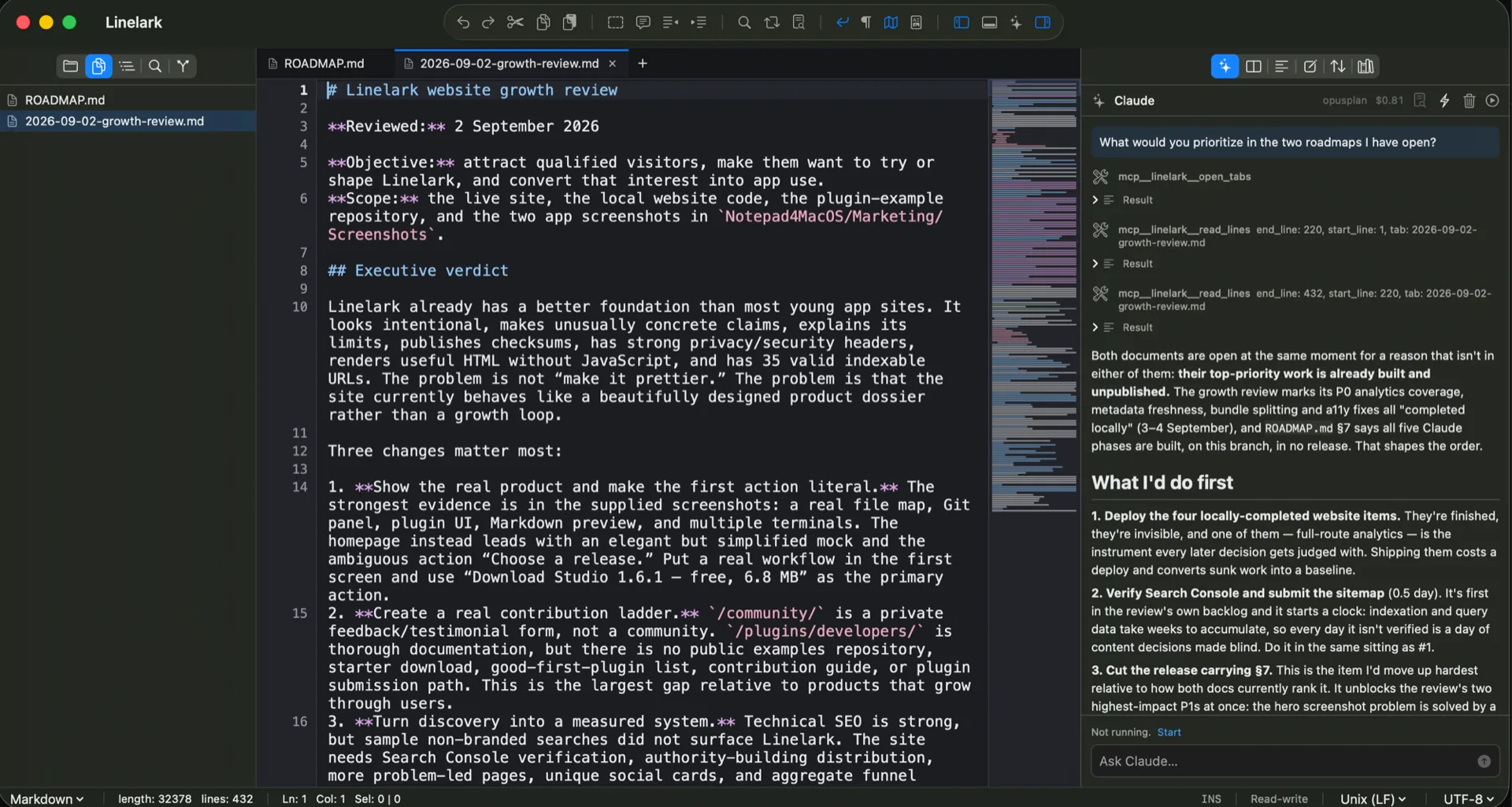
Work with what’s on screen
A change doesn’t have to be saved to be part of the conversation. Claude can read your open buffers and selection, and search the text as you’ve typed it.
Ask about a function you’re revising. Compare two open documents. Keep the discussion beside the work, in the same Mac window.
Changes proposed through Linelark’s editor tools appear as a diff. See what would change before you approve it.
Approved editor changes land in the open buffer. Undo them with ⌘Z, or save the file when you’re ready.
See reported usage cost in the panel. Interrupt a turn when you need to, or stop Claude from the toolbar.
Start with a small file you’re comfortable sharing with your configured AI service.
Install Claude Code and sign in, or configure your supported service access. Follow the Claude Code setup guide.
Open a file or folder in Linelark Studio. Choose Ask Claude in the toolbar to start the dock session.
Change a few lines without saving. Ask Claude to read the active buffer and explain the change.
Linelark Studio is free. Claude Code is installed separately and uses your own account or configured provider. Its service charges, plan limits, and terms are separate from Linelark.
No. The Claude dock and integrated terminal are Studio features. Download Studio directly using the buttons on this page.
When you use Claude, prompts and context it reads—including unsaved text—can be sent to the AI service configured for Claude Code. That service’s data policies apply. Core editing does not require Claude or a connection to an AI service.
Changes applied through Linelark’s editor tools are undoable in the buffer. Commands, external file changes, and actions in other services are separate and are not covered by editor undo. Review those actions according to Claude Code’s permissions.
A native Mac editor, with your conversation alongside.
Free Studio download · 8.7 MB · macOS 14+
Claude Code installation and service access required separately.