Two apps · Built for macOS · Always free

Native Mac tools that
stay out of the way.

Linelark makes small, native macOS apps that start instantly and get on with it. No account to create, no subscription, no telemetry, and nothing to sign up for — you download a notarized disk image and use it.

Apple-notarizedFree · 8.7 MB · macOS 14+

One editor.
One file browser.

Two separate downloads that share a way of thinking rather than a codebase. Installing one changes nothing about the other.

Shipping

Linelark Notepad

Version 1.19.0 · text and code
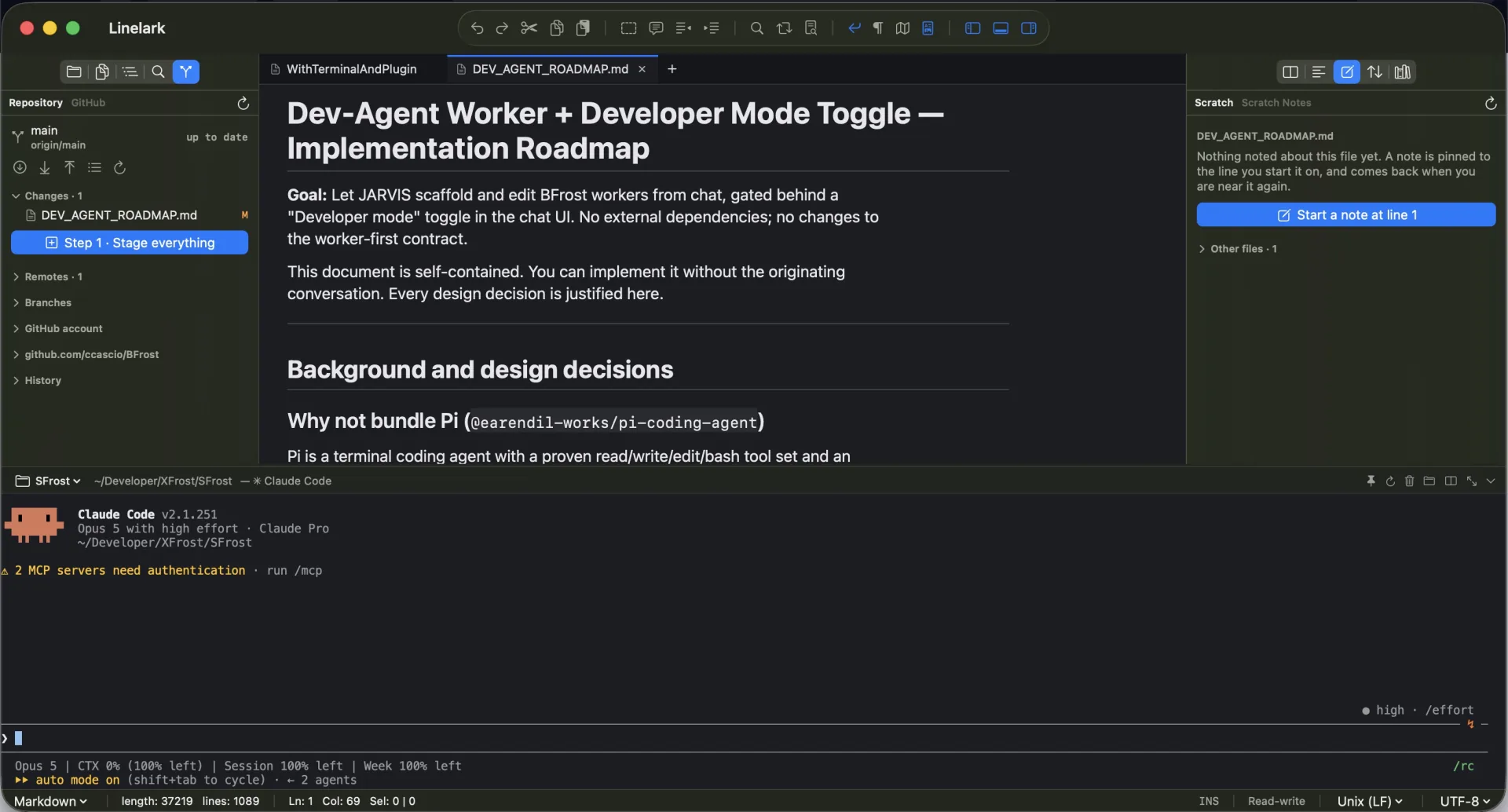
Linelark Notepad showing a project tree, an open file and a terminal panel in one native Mac window

A lightweight editor for a file, a folder or a whole project. It opens in a moment, remembers where you left off, and keeps a terminal beside the file you are editing.

  • Folder search, split panes and column editing
  • Session restore, down to the unsaved buffer
  • A terminal per tab or per project
  • Two editions: the App Store build, and Studio
Explore Notepad
Public beta

Linelark Finder++

Beta 0.8.0 · files and terminal

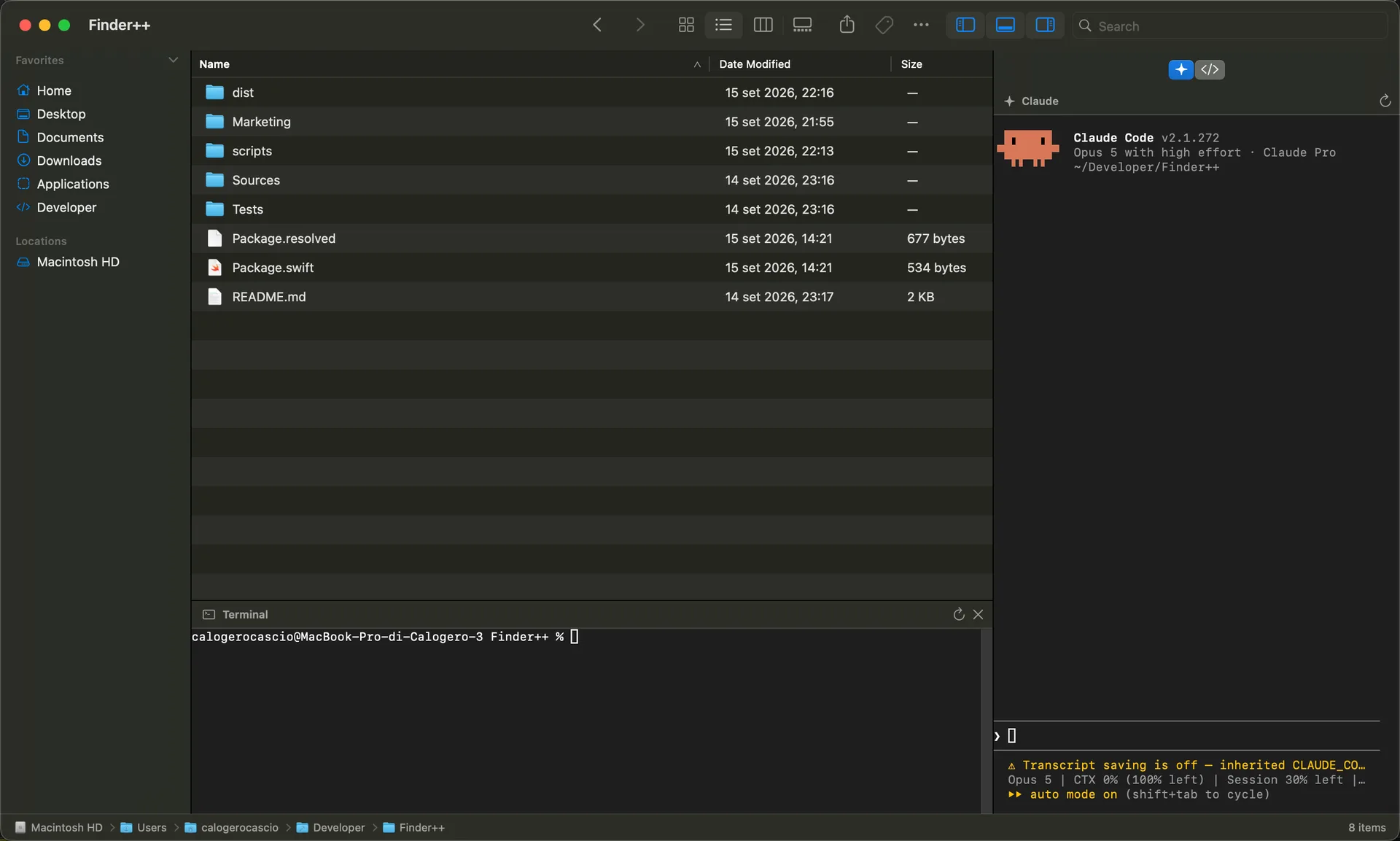
Linelark Finder++ browsing a folder with a shell open below the file list and Claude Code in a panel on the right

A native file browser with four views that opens a real shell — and Claude Code or Codex — in whatever folder is already on screen, without you typing the path again.

  • Icons, List, Columns and Gallery
  • A shell that starts in the folder you are browsing
  • Claude and Codex in a side dock
  • Quick Look, tags and the menu you expect
Explore Finder++

The same promises,
in both windows.

These are not marketing lines. They are the constraints both apps are built under, and the reason neither asks you for anything.

Native

AppKit and SwiftUI, not a browser in a window. They launch like Mac apps because they are Mac apps.

Free

No subscription, no paid tier, no account. Optional plugins from independent developers may cost money; nothing from Linelark does.

Yours

No telemetry and no analytics inside either app. What you open and what you type never leaves your Mac.

Signed

Developer ID signed and Apple-notarized, with a published SHA-256 for every build so you can check what you downloaded.

Download and open it.

Notepad 1.19.0 is the place most people start. Finder++ is a separate download whenever you want it.

Download Notepad 1.19.0