One server per window, not one per app
The tools answer for the window whose session called them. The front window follows your clicks, so an app-wide server would let “the active tab” drift to a file the asking session has never seen.

The agent in the dock
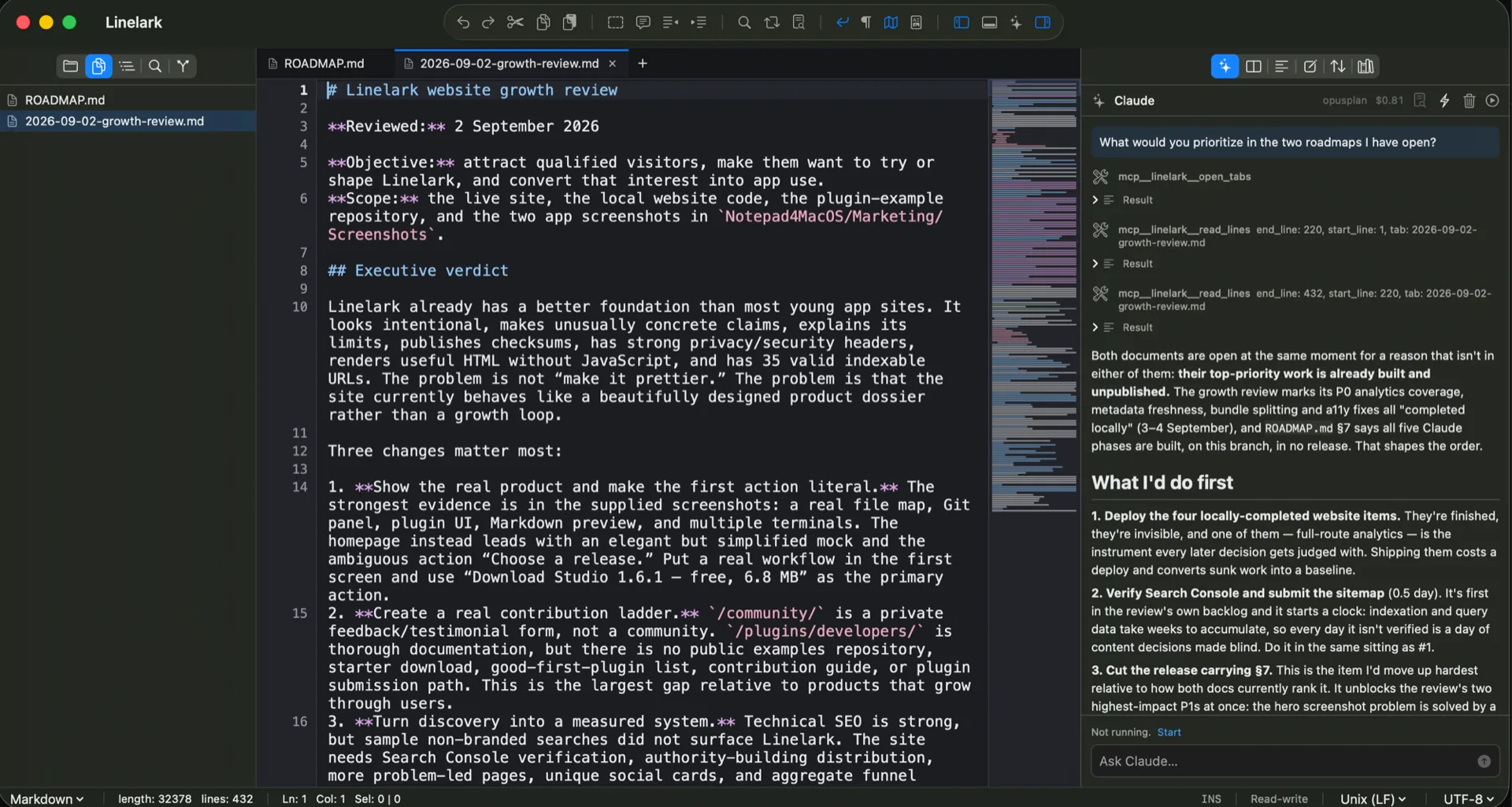
An agent in a terminal reads files off the disk. It cannot see the paragraph you are halfway through rewriting, because that paragraph does not exist anywhere but in the editor. Linelark Studio runs Claude Code in the right dock and hands it the editor itself — through a small MCP server the window opens for that session.
The mechanism
A Unix domain socket at 0600, JSON-RPC over it, and a tool list scoped to one window. The same socket path is exported into the terminal panel as $LINELARK_MCP_SOCKET, so a claude you start yourself in a shell gets the same tools the dock has.
The tools answer for the window whose session called them. The front window follows your clicks, so an app-wide server would let “the active tab” drift to a file the asking session has never seen.
open_tabs, active_buffer, selection, read_lines and tail_lines answer from the text in the editor, unsaved edits included. That is the difference worth having: the disk is a stale copy of what you are actually working on.
A search runs through FindEngine over the buffer as typed, rather than over the last version written out. It is the reason to ask the editor instead of running grep in a shell.
replace_lines and insert_lines go through the same editor session a plugin’s writes do, so an agent’s change is one undoable edit that reaches every pane showing that buffer. ⌘Z puts it back, and you decide when to save.
A headless agent has no terminal to ask in, so Claude Code’s permission prompt is pointed at a tool of ours and the approve or deny is drawn in the dock — carrying the diff the buffer would become rather than the name of the tool asking.
Every read takes a range and has a ceiling. Without one, a 40 MB buffer arrives in a context window whole.
In practice
This is a notepad before it is an IDE, and the agent inherits that. Each of these is a real shape of request; what follows it is which tools answer it and what you are shown.
“Format the messy list in my active tab as a clean Markdown table.”
active_buffer reads the tab as it stands. The rewrite comes back as a card carrying the diff, and the tab does not change until you approve it.“Find every date written MM/DD/YYYY in this document and convert it to DD/MM/YYYY.”
find_in_buffer locates them in the text as typed — including the ones you added a minute ago and have not saved — and the replacement arrives as a single undoable edit rather than as thirty of them.“Both open tabs describe the same release. Tell me where they disagree.”
open_tabs lists what the window has and read_lines fetches each side, so the comparison is between the two documents in front of you, saved or not.“Go through the notes in this folder and tell me which ones I left half-written.”This one reaches past the editor. Nothing on the socket reads a directory, so it needs Claude Code’s own file tools — which the panel only has under the second trust setting below.
Specifics
Preferences ▸ Claude sets it for the app; the panel’s ⚡ menu overrides it for one window. Read-Only is the default and updating never moves you off it.
| Read-Only | Claude Code’s own rules | |
|---|---|---|
| The editor’s MCP reads | Pre-approved by the installer | Pre-approved by the installer |
| Changing an open buffer | A card with the diff, approved by you | A card with the diff, approved by you |
| Running a command, reading a folder, writing a file | Not among its tools at all | Whatever your own settings.json already says |
| Who decides the permission mode | Linelark pins it | Your ~/.claude/settings.json, an auto-approving mode included |
| Built-in Edit and Write | Absent | Present, and they write to disk rather than to the buffer |
| The MCP servers in your ~/.claude.json | Never loaded | Never loaded |
Read from the Linelark Studio 1.17.1 source, not from its documentation. Where the two disagree, this is the one that ships.
Before you rely on it
The first setting is narrow on purpose and the second one is genuinely wide. Both are described here as they are, because the difference between them is the only thing on this page worth getting right.
Free, and staying free
Apple-notarized, macOS 14 and newer, Intel and Apple silicon.
Download Studio 1.17.1 8.5 MB · every version, with checksums