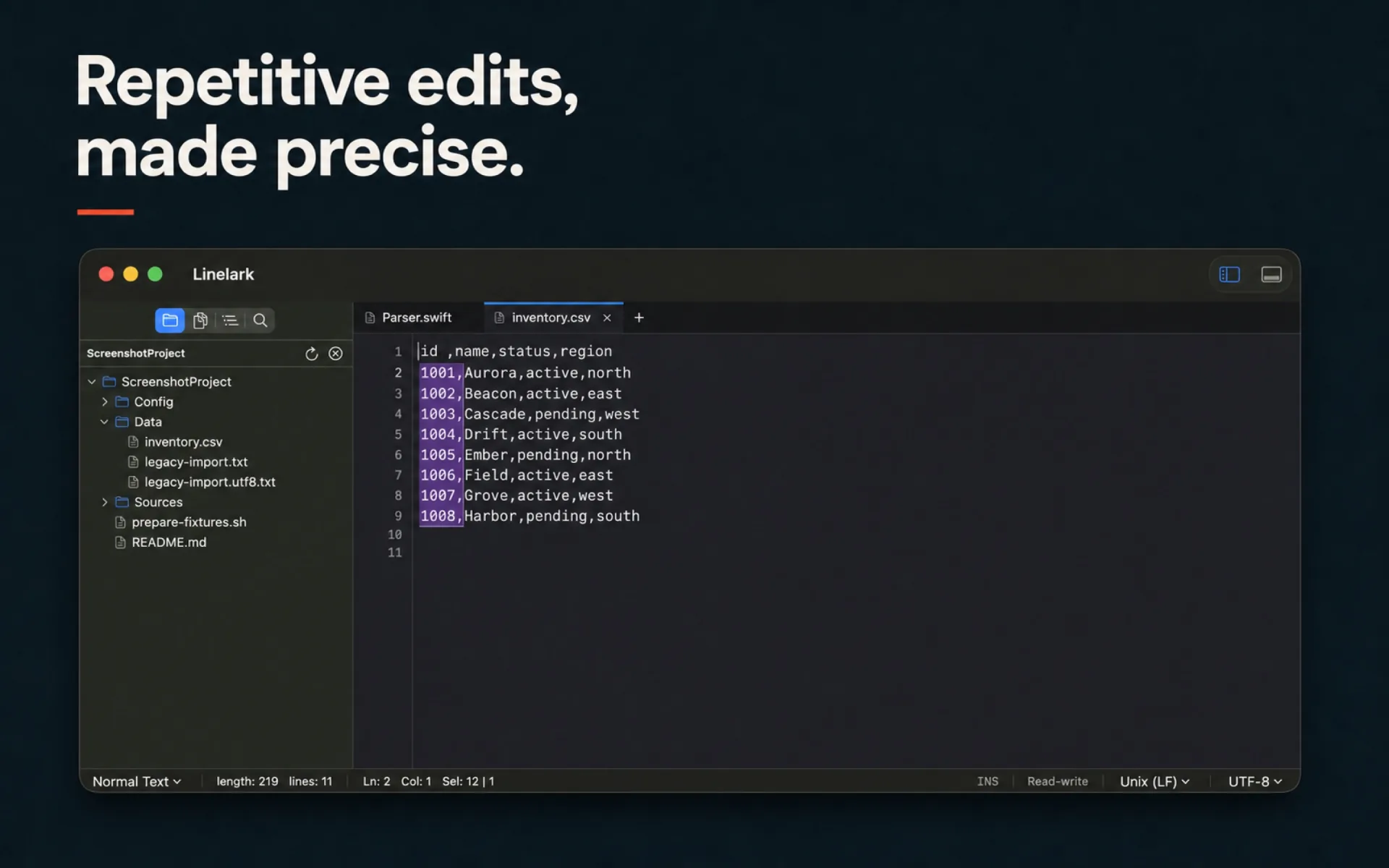
⌥-drag selects a rectangle
The same character columns on every line the drag crosses, rather than everything between two points in the text.

Column and block editing
Column mode is the feature Notepad++ users miss first on a Mac, and it is the one most editors implement halfway: a selection you can copy but not type into. Here it is an editing mode, and the numbering half of it is a dialog rather than a trick with regular expressions.
The mechanism
One is a way of selecting; the other is a way of filling what you selected. They are useful separately, which is why they are separate.
The same character columns on every line the drag crosses, rather than everything between two points in the text.
The titlebar toolbar carries a column-selection switch, so the behaviour is discoverable without being told about a modifier. It turns itself off rather than surviving a relaunch.
And so does backspace. The whole rectangle changes as one undoable edit, so ⌘Z takes back the column rather than the last line of it.
⌥⌘C, or Edit ▸ Column Editor…: put the same text down the column, or a number sequence with a start, a step, and a base.
A sequence can be written in base 10, 16 or 8, and zero-padded to a fixed width — which is what turns a column of blanks into id_001 through id_064 in one action.
Duplicate, move, join, sort, deduplicate and remove-empty-lines operate on the same selection, and comment toggling uses each language’s own comment tokens.
Specifics
Chosen in a dialog, applied as one edit, and undone as one edit.
| Option | What it does |
|---|---|
| Text | The same string on every line of the selection. |
| Number | A sequence with an initial value and an increment. |
| Base | Decimal, hexadecimal or octal output. |
| Leading zeros | Pads each value to a fixed width. |
Read from the Linelark Studio 1.19.0 source, not from its documentation. Where the two disagree, this is the one that ships.
Before you rely on it
Column selection is a character-grid idea living inside a text view, and the seams show in two specific places.
Free, and staying free
Apple-notarized, macOS 14 and newer, Intel and Apple silicon.
Download Studio 1.19.0 8.7 MB · every version, with checksums