The characters are shared
One text storage backs both views. There is no synchronising step that can fall behind, because there is nothing to synchronise.

Split panes
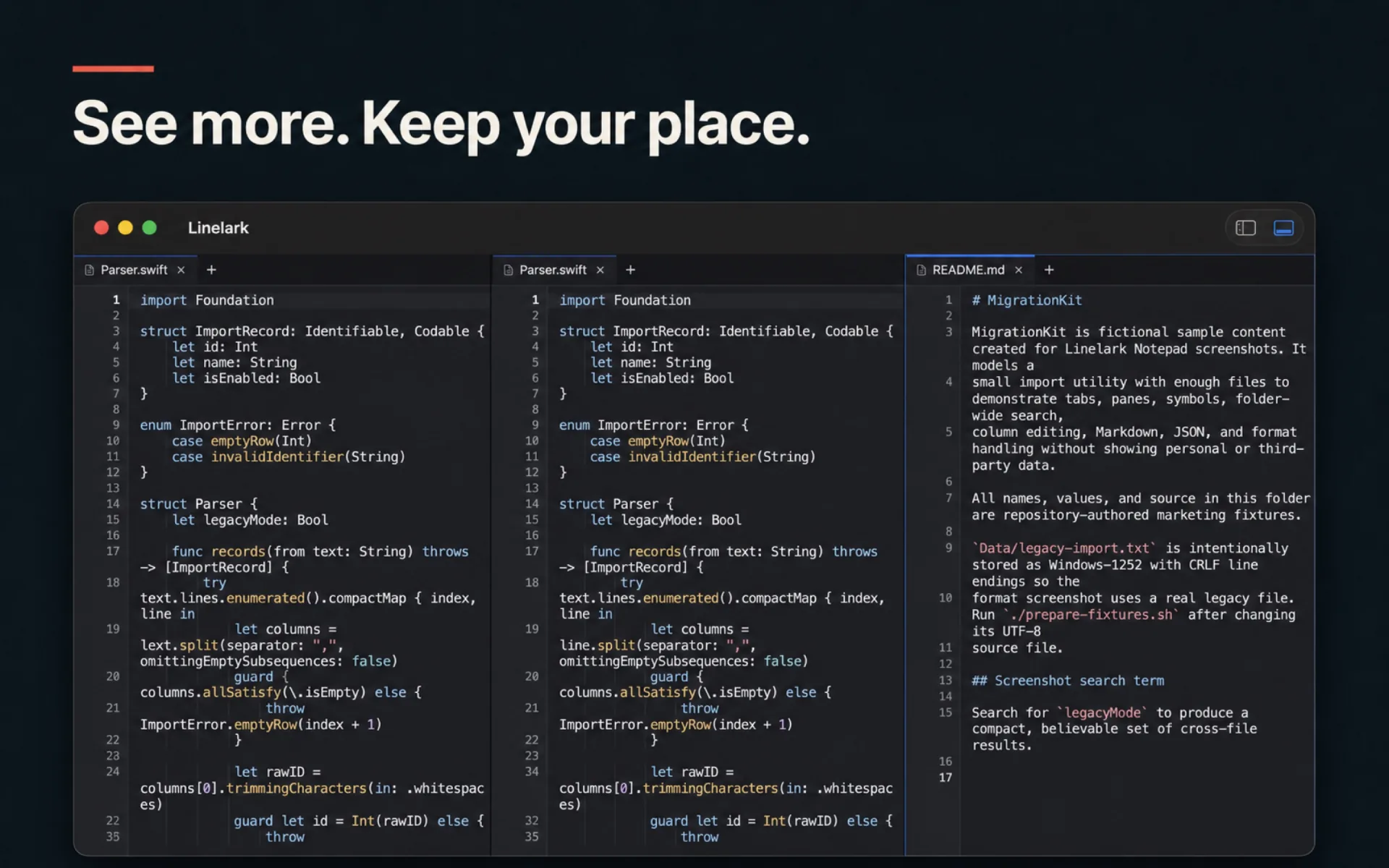
Two panes can show two files, or they can show one file twice. The second case is the one that is easy to get wrong: both panes have to hold genuinely the same text, not a copy that drifts as you type.
The mechanism
This is the whole design, and getting the split right is what makes a second view useful rather than confusing.
One text storage backs both views. There is no synchronising step that can fall behind, because there is nothing to synchronise.
An edit made in the top pane is undone by pressing undo in the bottom one. Two undo stacks over one file would be a way to lose work.
The lexer’s cached line states belong to the text, so the second view does not re-highlight the file from scratch or disagree about where a string ends.
Each pane keeps its own. That is the entire point: read the top of a long file while editing the bottom.
Single, two columns, three columns, two rows, or a 2×2 grid — chosen from the View menu and remembered with the session.
If a saved session holds more panes than the current layout has room for, the layout widens on restore rather than dropping the extra panes.
⇧⌘N opens a window with its own tabs, its own panes, its own folder root and its own find state — not a second view of this one. Every window that was open at quit comes back, in the order they were open.
Specifics
Chosen explicitly rather than by dragging a divider, so a layout can be restored exactly and named in a menu.
| Layout | Panes |
|---|---|
| Single Pane | 1 |
| Two Columns | 2, side by side |
| Two Rows | 2, stacked |
| Three Columns | 3 |
| Grid | 4, in a 2×2 |
Read from the Linelark Studio 1.19.0 source, not from its documentation. Where the two disagree, this is the one that ships.
Before you rely on it
The layouts are fixed shapes rather than an arbitrary tiling tree, which is a real constraint and rules some workflows out.
Free, and staying free
Apple-notarized, macOS 14 and newer, Intel and Apple silicon.
Download Studio 1.19.0 8.7 MB · every version, with checksums