Detection happens on open
A byte-order mark settles it outright. Without one the file is decoded by trying the plausible encodings, so a UTF-8 file with no BOM is not mistaken for Latin-1 because of one high byte.

Text encoding
An editor that opens everything as UTF-8 is fine until the day it saves a Windows-1252 file as UTF-8 and the accented characters in someone else’s toolchain turn into mojibake. Linelark treats the encoding as a property of the file, not a preference of the app.
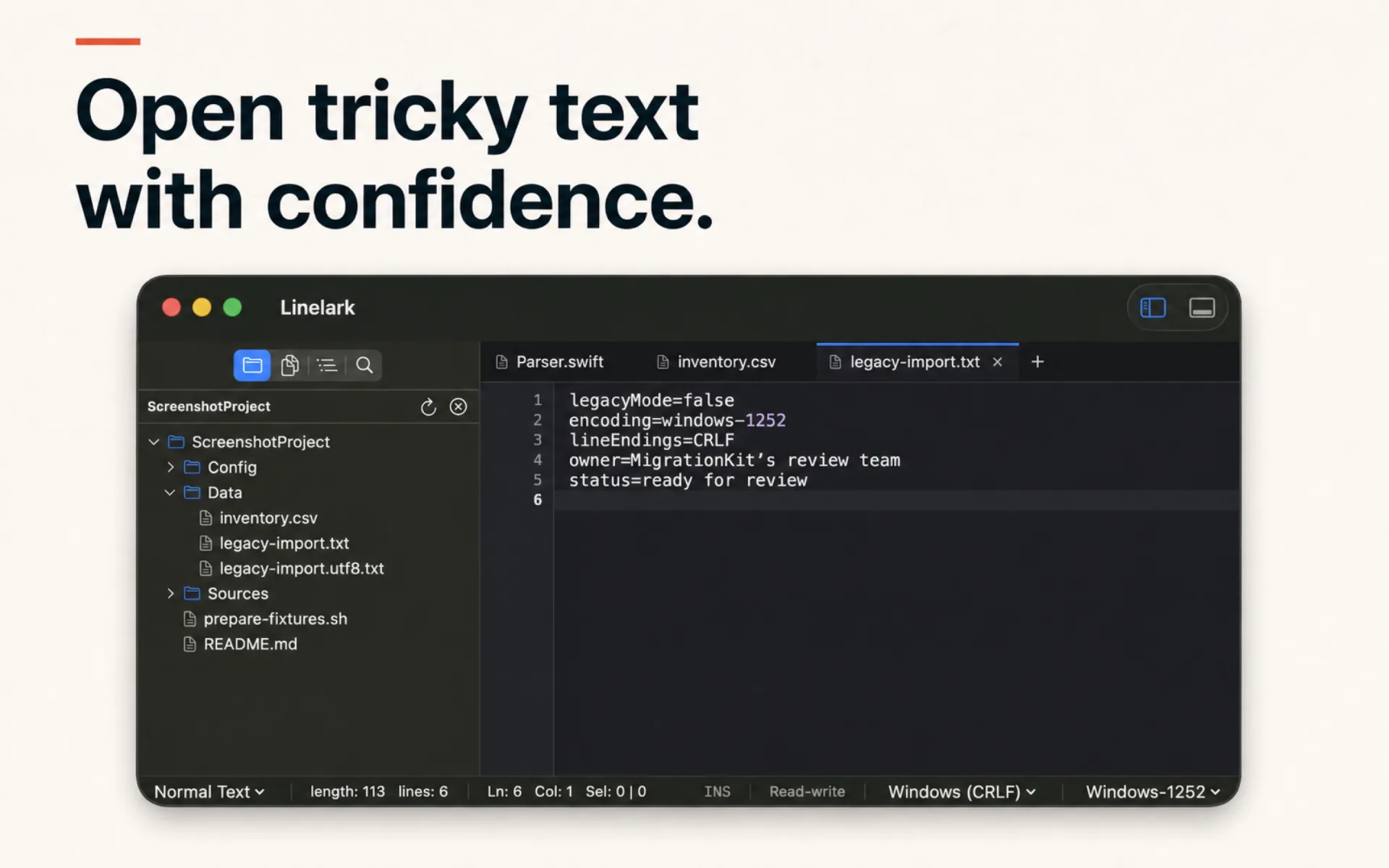
The mechanism
Those are four different operations and most editors offer two. The distinction that matters is between reading the same bytes a different way and rewriting the bytes into a different encoding.
A byte-order mark settles it outright. Without one the file is decoded by trying the plausible encodings, so a UTF-8 file with no BOM is not mistaken for Latin-1 because of one high byte.
It is not a global setting. Two tabs can hold two encodings, and each saves in its own.
Reinterpreting takes the bytes on disk and decodes them again with an encoding you choose — the fix when a file opened as the wrong thing. Converting changes what will be written. Only one of them alters the file.
LF, CRLF and CR are tracked separately from the encoding and shown separately, because a file’s endings and its character set have nothing to do with each other.
UTF-8 is offered with and without a byte-order mark as two separate entries, because for a shell script the difference is whether it runs.
Replace in Files decodes each file with its own encoding and writes it back the same way, so a bulk edit never becomes a bulk conversion.
Specifics
Eleven entries, listed here in full rather than described as “all the common encodings”.
| Encoding | What it is for |
|---|---|
| UTF-8 | The default for anything new. |
| UTF-8 with BOM | When a Windows tool insists on the mark. Written as EF BB BF. |
| UTF-16 LE BOM | Windows APIs and older exports. Written as FF FE. |
| UTF-16 BE BOM | Big-endian UTF-16. Written as FE FF. |
| ISO 8859-1 (Latin-1) | Western European legacy text and older HTTP bodies. |
| Windows-1252 | The Windows superset of Latin-1 — the usual source of smart quotes arriving as junk. |
| Windows-1251 | Cyrillic on Windows. |
| Mac OS Roman | Classic Mac text files, still found in long-lived archives. |
| Japanese (Shift-JIS) | The dominant legacy Japanese encoding. |
| Japanese (EUC-JP) | Unix-side Japanese text. |
| US-ASCII | When you want the save to fail rather than silently widen. |
Read from the Linelark Studio 1.19.0 source, not from its documentation. Where the two disagree, this is the one that ships.
Before you rely on it
Eleven encodings is a deliberate list, not an exhaustive one. If yours is not here, this is the wrong editor for that file.
Free, and staying free
Apple-notarized, macOS 14 and newer, Intel and Apple silicon.
Download Studio 1.19.0 8.7 MB · every version, with checksums