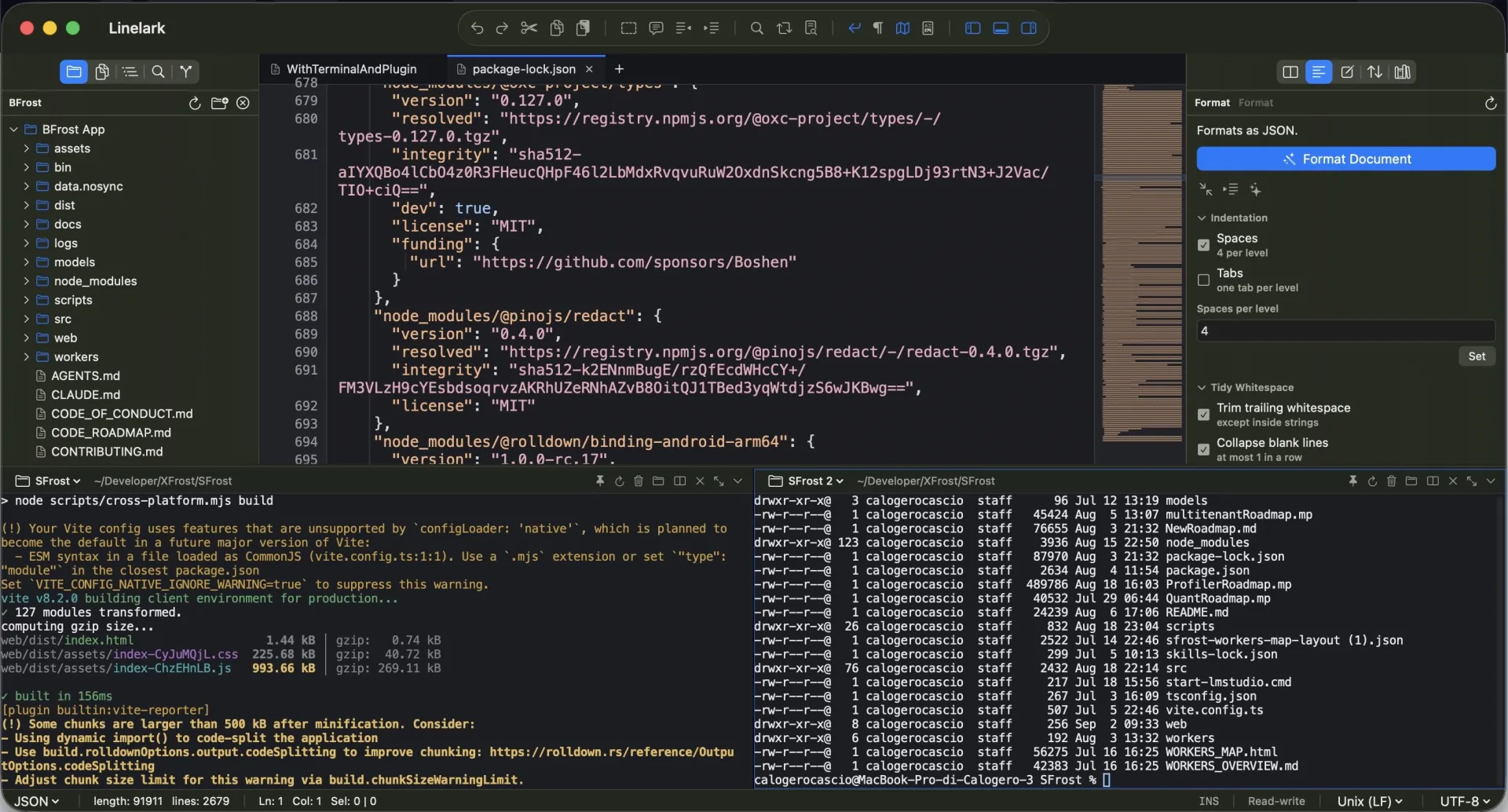
01It starts in the file’s own folder
The working directory is the directory of the file in the tab, not the project root. If that folder has gone, it falls back to the open folder, and then to your home directory. Two tabs holding files in different folders give two shells in different places.
02Or it belongs to a workspace folder instead
A terminal can be started for one of the workspace’s roots rather than for a file, which is the shell you want for a build or a test run. The panel asks which you meant when there is a real choice, and lets you switch between the shells that are already running.
03Pinning keeps a shell past its tab
A file terminal ends with its tab unless you pin it. A pinned shell keeps running, and reopening that file takes it back over rather than starting a second one. A project terminal is pinned by definition.
04The panel divides into up to three shells
Terminal ▸ Split Terminal (⌃⇧5) splits the panel into columns the way the editor splits into panes. A split is a second shell on the same binding — same file, same pin, ended by the same tab — started in the directory the shell it came from is currently in, which is usually the folder you just changed to.
05A clean tab reloads itself, silently
Run a formatter and the tab updates. It does not ask, deliberately: once a terminal can write to these files, a confirmation per file would mean a dialog storm for a command you just typed yourself.
06A tab with unsaved edits is never overwritten
It asks — “changed on disk. This tab has unsaved changes. Reload and discard them?” — with Reload and Keep Mine. Choosing Keep Mine moves the recorded modification date forward, so it does not ask again about the same change.
07Your login shell, with -l
The shell is started as a login shell so ~/.zprofile and friends are read. Tools installed by Homebrew or a version manager are on PATH because the shell set it up the way it always does.
08TERM and COLORTERM are set properly
TERM is xterm-256color and COLORTERM is truecolor, so programs that check before emitting 24-bit colour actually emit it.
09TERM_PROGRAM says Linelark
That is the variable tools read to find out which terminal they are inside, and answering it honestly is how they adapt correctly.
10Linelark_FILE names the front file
The working directory only ever said which folder. This says which file, which is the thing a command-line tool usually wants.
11It is set or removed, never inherited
The app can itself be launched from one of these shells. Without clearing it, an untitled tab would inherit a stale value and claim to be somebody else’s file.
12Debug leakage is stripped
OS_ACTIVITY_DT_MODE and friends are removed from the child environment, or programs launched from a development build think they are being debugged.
13A model proxy that runs while a shell does
Studio can start CLIProxyAPI with your first terminal and stop it a few seconds after the last one closes, or when you quit. Point Claude Code or Codex at its local address and they can use the models of the other accounts you have signed in to there — a GPT or Gemini model from inside Claude Code, say. A proxy already running is used as it is and never stopped behind your back.
14The side panels keep their full height
By default the terminal sits under the editor alone, so the folder tree and the right dock run the whole height of the window beside it. The titlebar’s layout switch, or Terminal ▸ Terminal Between Side Panels, runs it across the full width instead.