Recognized on the device
Text recognition runs on your iPhone, iPad or Mac. Scanning and searching never need a connection.

Luminary turns paper into searchable documents, keeps them in a library that organizes itself, and answers questions about what they say — on your iPhone, your iPad and your Mac.
Mac: direct download · version 1.0 · 10.0 MB · macOS 26 or later · notarized by Apple.
iPhone and iPad: free on the App Store · iOS 18.6 or later.
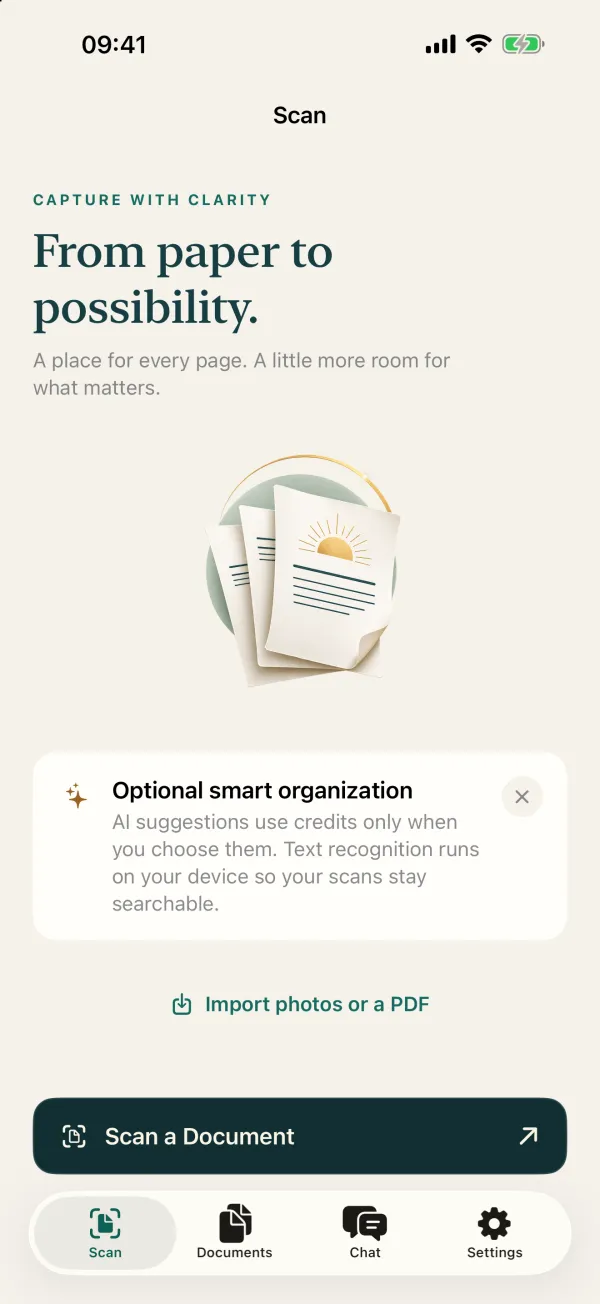
Scan
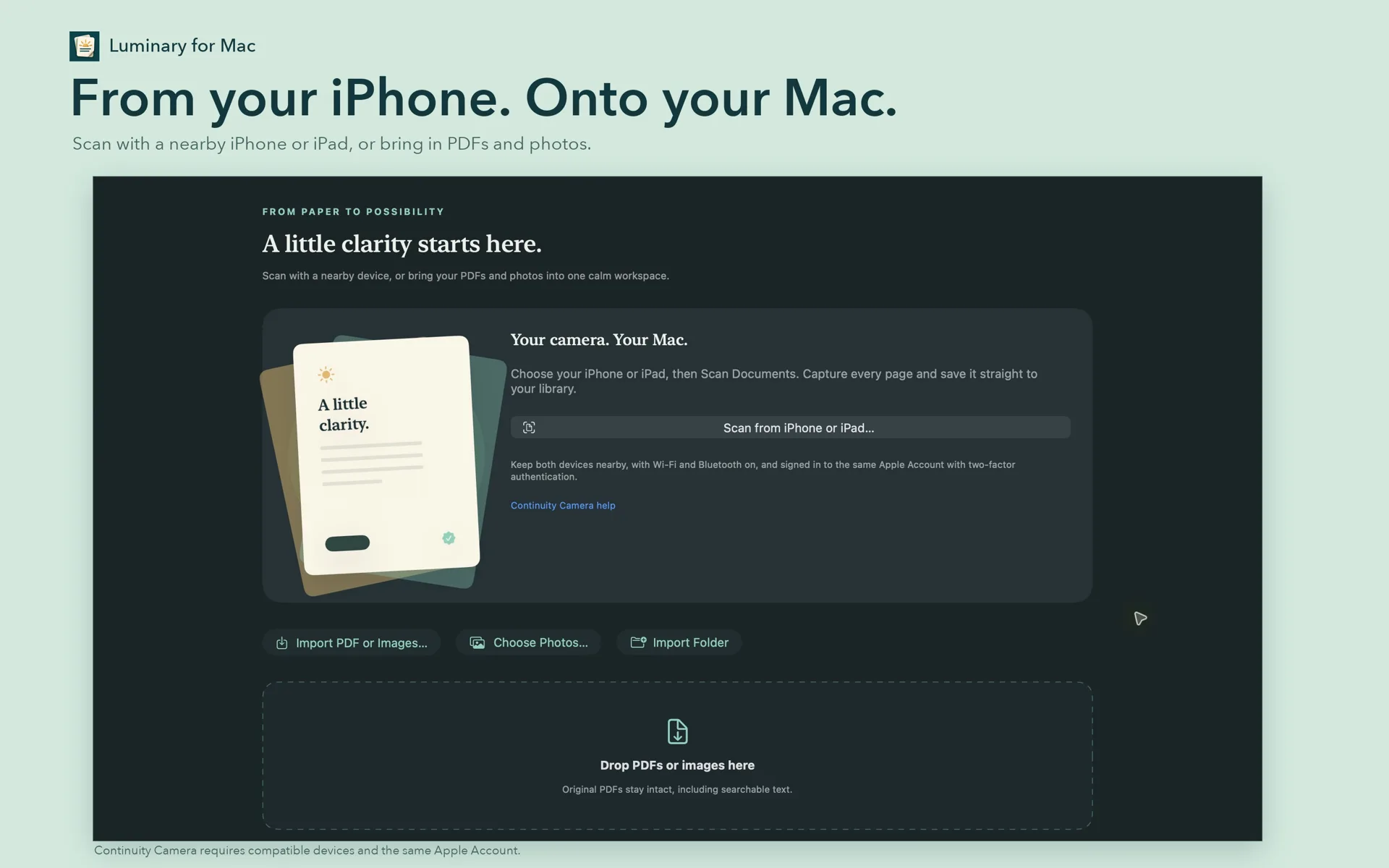
Point your iPhone or iPad at a page and Luminary finds the edges, straightens the perspective and keeps every page of a multipage document together. On a Mac, Continuity Camera takes the picture with a nearby iPhone or iPad and drops the scan straight into your library.
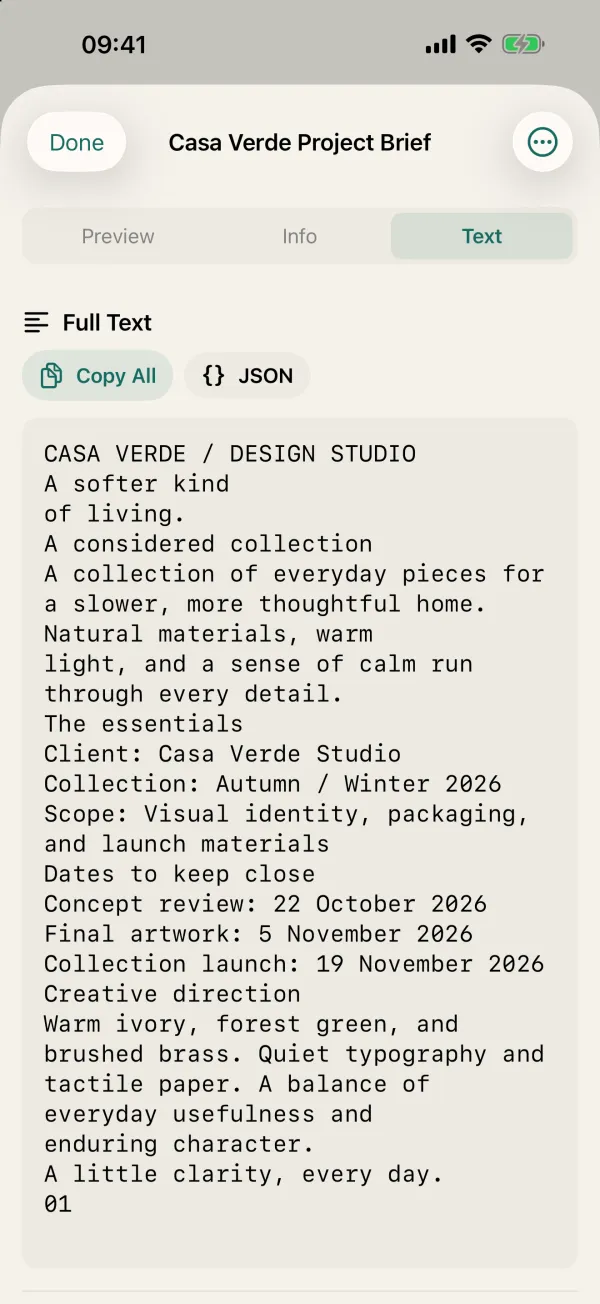
Find
Text recognition runs on your device, so a scan becomes text you can select, copy and search — without the page leaving your phone or your Mac. Your documents also show up in Spotlight.
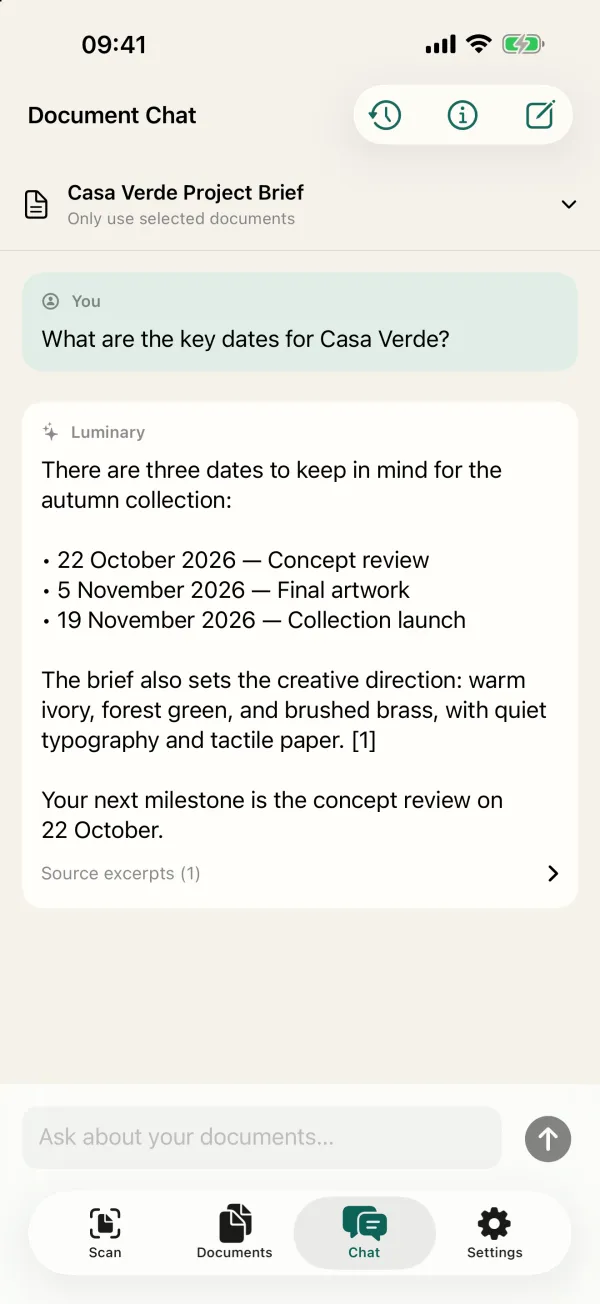
Ask
Choose the documents, ask in plain words, and get an answer with the excerpts it came from. Luminary asks before it sends anything, and you can switch sharing off in Settings whenever you like.
Organize
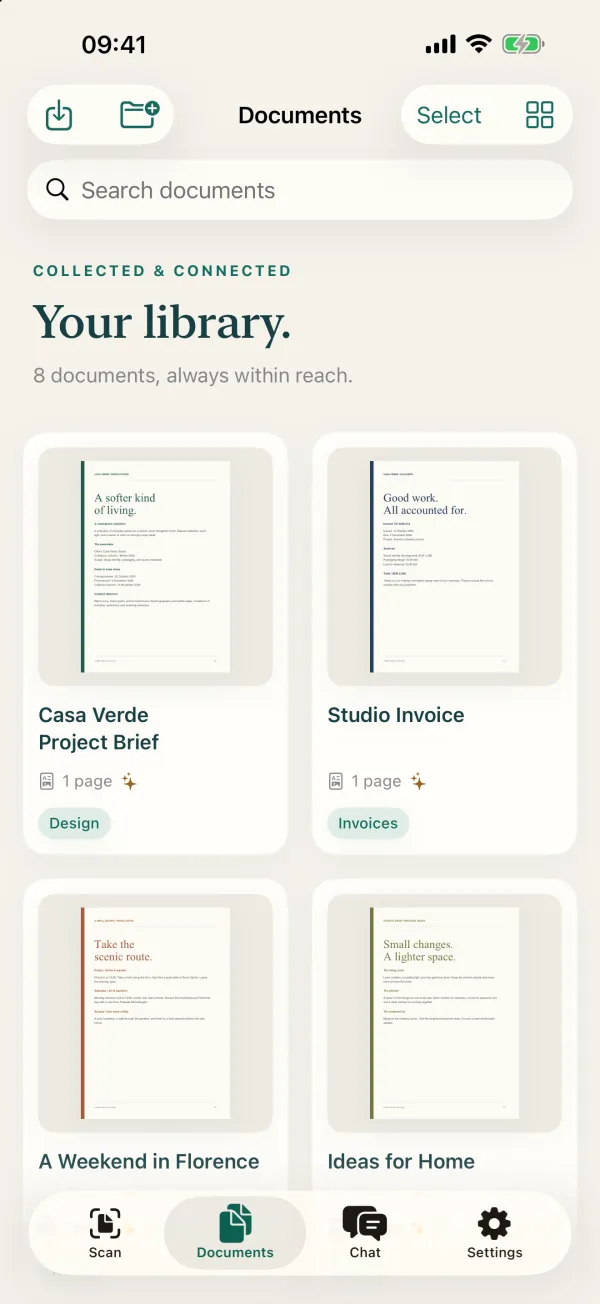
Tags, page counts and clear names, in a library that follows you through iCloud Drive. Ask for AI suggestions and Luminary proposes names and tags for you — only when you choose to.
Sign and prepare
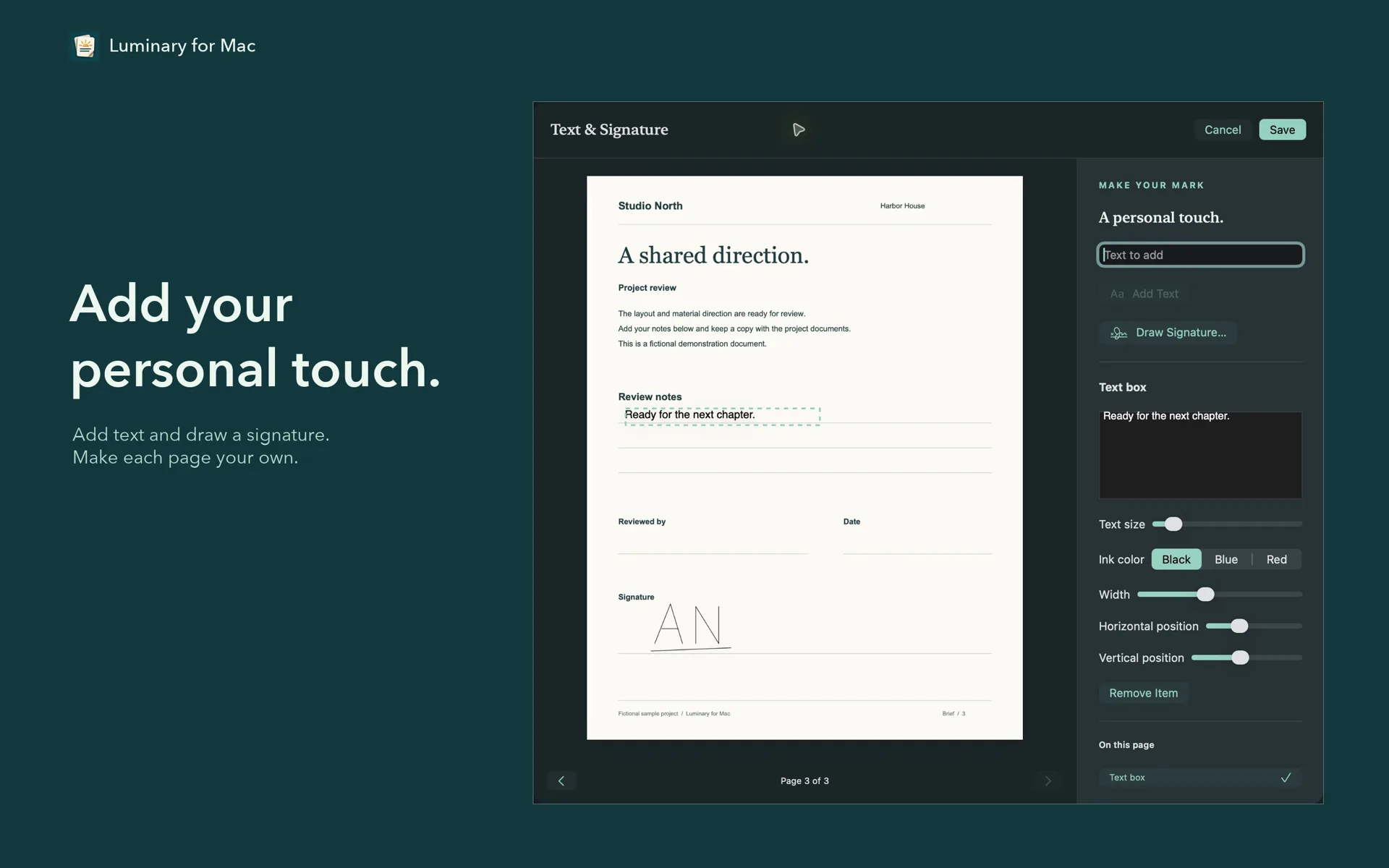
Add text or draw a signature with your mouse or trackpad, rotate and crop pages, put them in order. Editing a PDF’s images makes a separate copy, so the original you scanned or received stays exactly as it was.
iPhone and Mac captures with fictional sample documents.
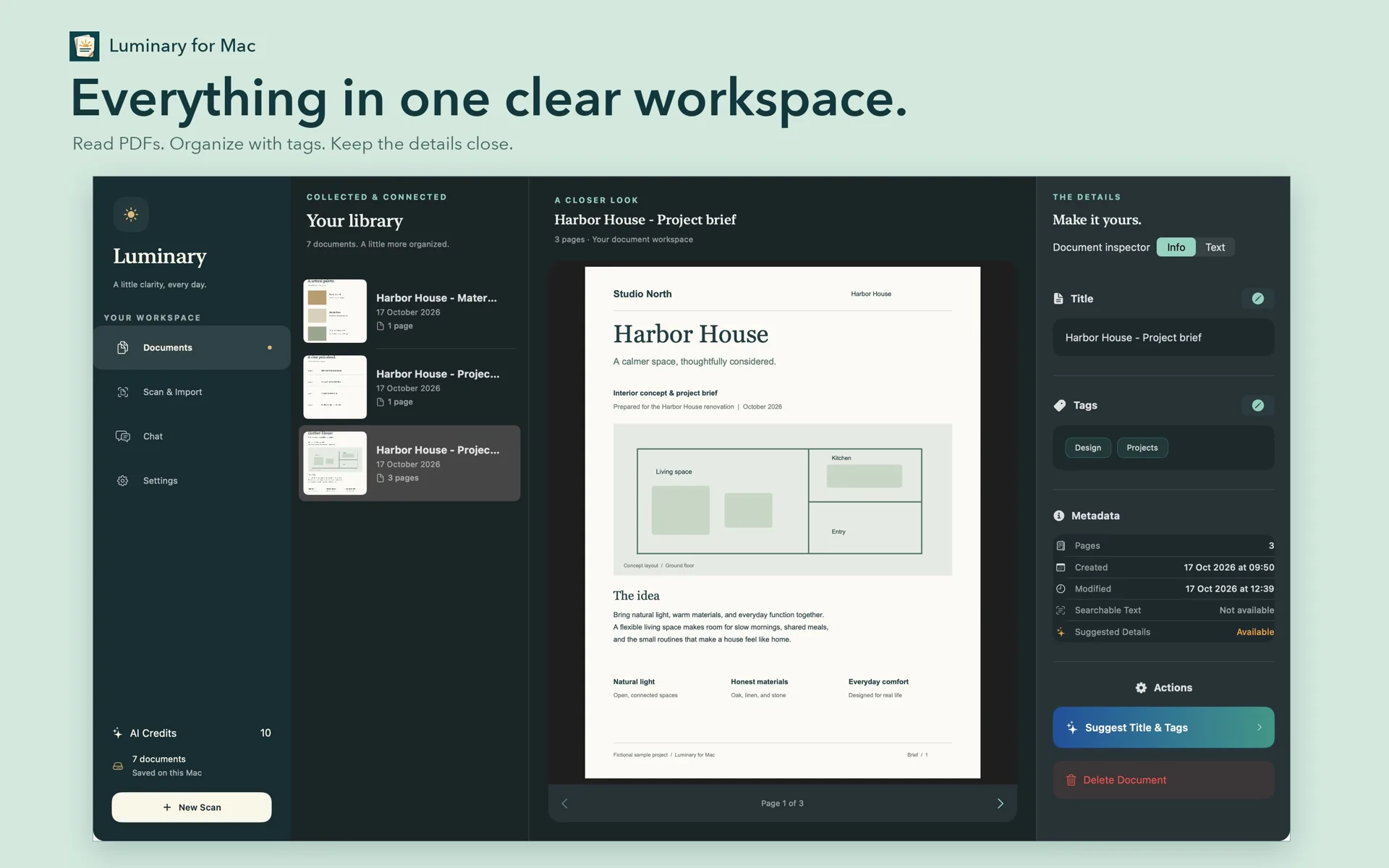
On the Mac
A real Mac app with a sidebar library, a reader and an inspector side by side, and drag and drop wherever a file can go. It opens the same library as your iPhone and iPad.
Privacy
A scanner holds contracts, invoices and medical letters. So here is exactly what leaves your device, and when.
Text recognition runs on your iPhone, iPad or Mac. Scanning and searching never need a connection.
Your library syncs through iCloud Drive, under your own Apple Account. There is nothing to sign up for.
Document chat and AI suggestions send the relevant text or images to OpenAI through AIProxy — after Luminary asks, and never otherwise.
Turn sharing off in Settings and Luminary keeps working as a scanner, reader and library.
Pricing
Scanning, text recognition, reading, organizing, cropping and signing are free and stay free. Document chat, AI suggestions and AI-structured exports use credits. More credits and an optional Unlimited Access subscription are offered in the app, with prices shown there.
Yes. Downloading it and everything that does not use AI — scanning, text recognition, reading, organizing, cropping and signing — is free. You start with 10 AI credits; document chat, AI suggestions and AI-structured exports use them, and more are offered in the app.
No Luminary account. Your library syncs through iCloud Drive and your credit balance through iCloud, both under your own Apple Account.
No. It runs on your iPhone, iPad or Mac. A document leaves your device only when you use an AI feature, after Luminary asks, and only to OpenAI through AIProxy. You can switch sharing off in Settings.
Yes. With Continuity Camera, a nearby iPhone or iPad signed in to the same Apple Account takes the picture and the scan lands in Luminary on the Mac. It needs Wi‑Fi, Bluetooth and two-factor authentication on the account.
iPhone and iPad with iOS or iPadOS 18.6 or later, from the App Store, and Macs with macOS 26 or later, as a direct download for Apple silicon and Intel.
Its Mac App Store version is being prepared. The direct download is signed with a Developer ID and notarized by Apple, so macOS checks it before it opens, and it is the same app.
Luminary’s interface is in English, and its text recognition is tuned for English. Documents in other languages written in the Latin alphabet are recognized too, but accented letters can come out less accurately.
Most. Some protected or digitally signed PDFs cannot be annotated, because changing them would break the protection or the signature.

Free on iPhone, iPad and Mac. Ten AI credits to start, no account to create.

