Guide · Privacy

An AI meeting assistant that keeps the meeting on your Mac.

Meeting Assistant has no account and no server of ours. Audio is recognized on the device, your documents are indexed locally, and the only text that ever leaves is what you send to the model you chose.

Download for MacFree. No account.

Direct download · version 0.1.0 · 3.6 MB · macOS 26 or later, Apple silicon · notarized by Apple.

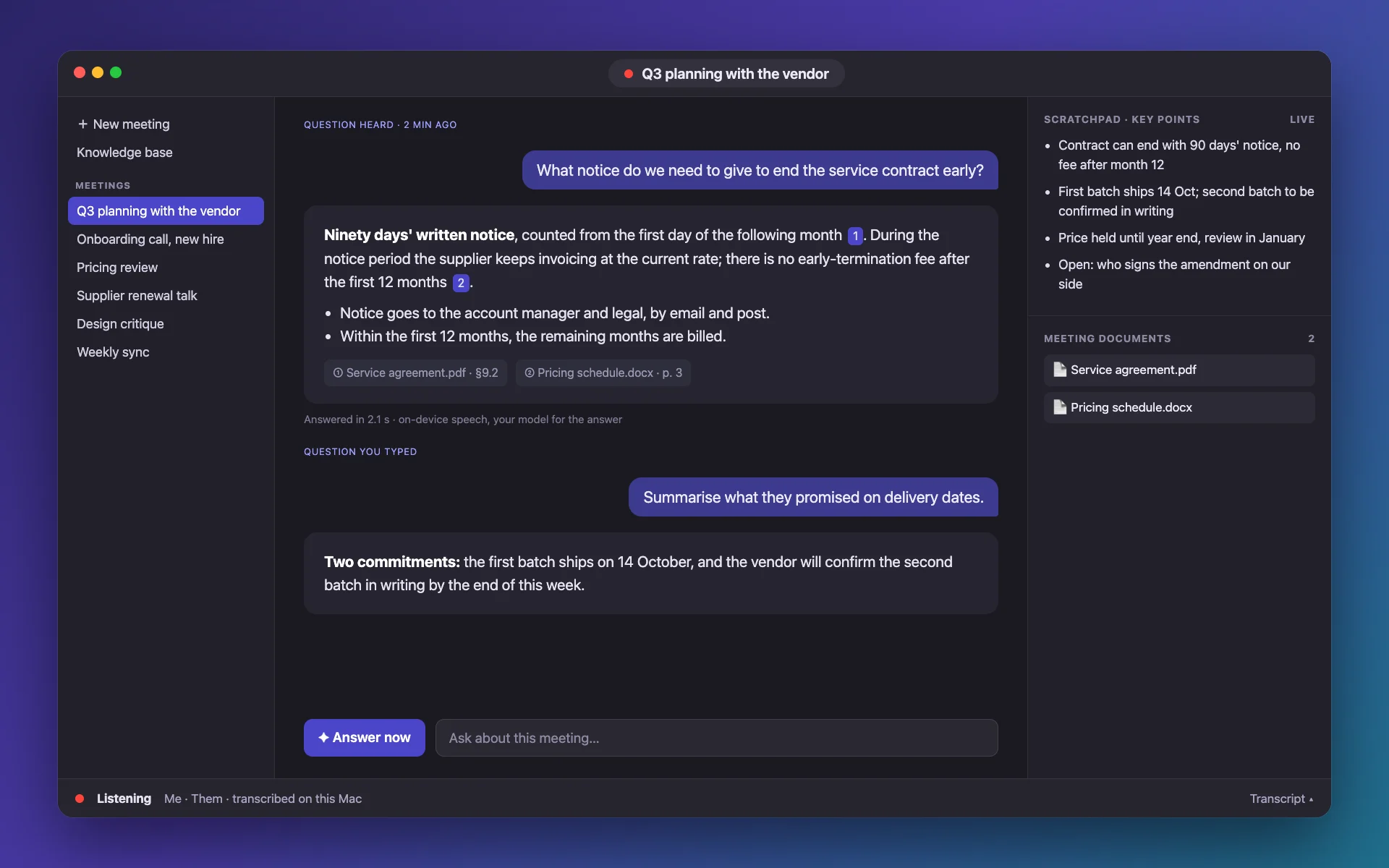
Illustration of Meeting Assistant on Mac: a question heard in a call, an answer with two source documents, the live key points and the meeting’s documents
An illustration drawn from the app’s layout, with fictional content.

How it helps

How it helps

Never uploaded: audio

Both audio streams are recognized by Apple’s engine or a Whisper model running on the Mac. The audio is not stored by the app beyond what recognition needs.

  • No cloud transcription
  • Offline once a Whisper model is downloaded
  • Menu-bar icon shows when it listens

Local: documents and meetings

Your files are split and indexed in a local database with on-device embeddings. Meetings are JSON files in your Library. Nothing syncs anywhere.

  • Local SQLite index
  • Per-meeting documents stay with the meeting
  • Delete a meeting, delete its files

Your choice: the model

With Apple’s on-device model, no text leaves the Mac. With ChatGPT, an API or Claude, the recent transcript and matching passages go to that provider under its terms, and only when an answer or notes are made.

  • Keys and tokens in the Keychain
  • Sign out revokes the ChatGPT token
  • No telemetry from the app

Questions

Does Meeting Assistant collect my data?

There is no account and no analytics inside the app. What a model provider receives is governed by the provider you pick.

Can it work fully offline?

Yes, with Apple’s speech engine or a downloaded Whisper model, and Apple’s on-device model for notes and answers.

Where are meetings stored?

As JSON files in ~/Library/Application Support/MeetingAssistant/Meetings/ on your Mac.

Should I tell people I am recording?

Often you must. Many places require consent from everyone on the call.

More guides

Private by design.

Download it and keep the meeting on your Mac.