Guide · Transcription

Transcribe a meeting on your Mac, without a bot in the room.

Meeting Assistant listens to your microphone and to the audio of the call at the same time, writes both as a labelled transcript, and does the recognition on the Mac itself.

Download for MacFree. No account.

Direct download · version 0.1.0 · 3.6 MB · macOS 26 or later, Apple silicon · notarized by Apple.

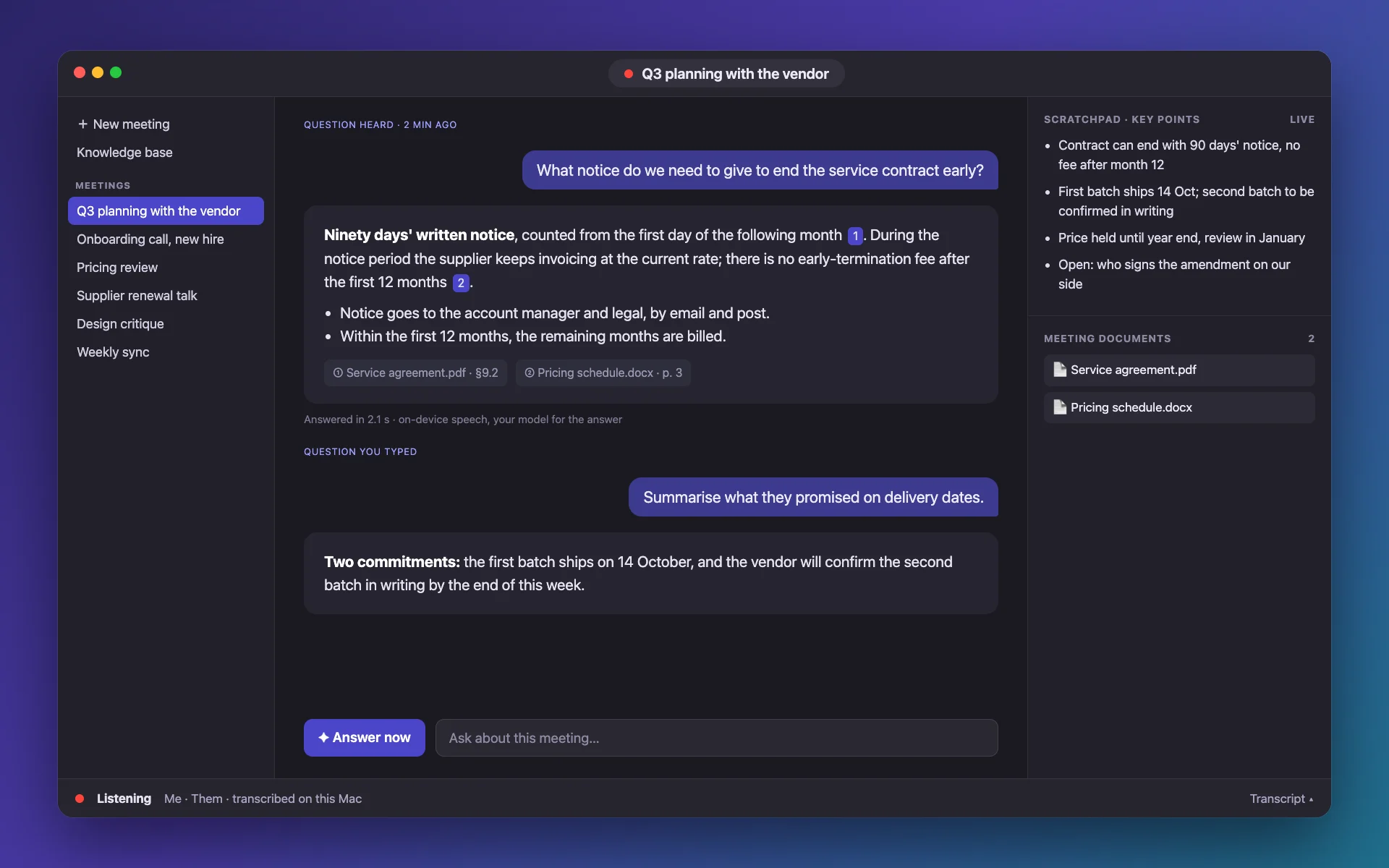
Illustration of Meeting Assistant on Mac: a question heard in a call, an answer with two source documents, the live key points and the meeting’s documents
An illustration drawn from the app’s layout, with fictional content.

How it helps

How it helps

Capture the call, not the people

It records the audio your Mac plays with a Core Audio tap and your microphone separately, so lines are labelled Me and Them. Nothing joins the call and nobody sees a recording bot.

  • Works with any call app or browser tab
  • Echo cancellation when you use speakers
  • Menu-bar icon fills in while it listens

Pick the engine that suits you

Apple’s built-in speech engine starts instantly. Whisper models run on the Neural Engine or the GPU and can be compared on a built-in Benchmark page with your own recording.

  • Apple SpeechAnalyzer, nothing to download
  • Whisper models, about 600 MB on first use
  • Word error rate and speed, measured

Read it live, keep it afterwards

The transcript scrolls as people talk, a scratchpad keeps the key points, and every meeting is saved on your Mac, with a short title, ready to export as Markdown.

  • Italian, English, French, German, Spanish, Portuguese, Dutch
  • Autosaved while you talk
  • Export to Markdown

Questions

Can it transcribe a call without installing a meeting bot?

Yes. It captures the audio on your Mac, so there is nothing to invite to the call.

Is the audio sent to a server?

No. Speech recognition runs on the Mac. Audio is never uploaded; a Whisper model is downloaded once, then works offline.

Which languages can it transcribe?

Italian, English, French, German, Spanish, Portuguese and Dutch, or automatic detection.

Does it need macOS 26?

Yes, macOS 26 or later on a Mac with Apple silicon.

More guides

Your next call, written down.

Free to download, nothing to sign up for.